Blog Administration
Get to the Blog Admin from the Developers Menu (if you do not see the Blog Admin menu item, contact iadn)
Blog Admin
- Note the field "Do not display" is defaulted to checked. Uncheck this when you are ready to see your blog under the IADN.COM > Company > Blog.
- Please TEST your blog post by looking at it to ensure it is accurate and presents properly. There is no "draft" mode.
- Enter a Title up to 255 charactors
- Note that the Title is copied to the Permalink field. This field is used to find the full blog post if you break it up using the More button (see below).
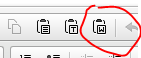
- Create or copy paste your blog post in the Body field. It is best to start out with plain text and then use the editor to format your document. If you are copy-pasting from MS Word, use the Paste from Word icon.
- Optionally select or enter a Category.
- Set the Date Created. Select a date in the future if you want the blog to be displayed after a particular date.
- The Author should be defaulted to your name. Ask iadn if you want the blog attributed to someone else.
The More Button
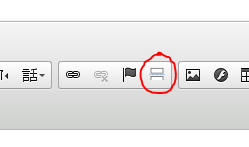
It is best if your initial blog post is only a few paragraphs with or without a photo, and the rest of the post be hidden unless the user clicks the Read More link. You can insert this link anywhere in your posts. Position your cursor where you want the break and click the More button.